
Projects
Projects tied to the deal that sold them
Projects inherit client context from CRM so delivery teams start with what was promised — not a blank board.
From agreed scope to client handover
Clear milestones. Connected client work.
Northstar website redesign
Northstar Studio · Client project
- Complete
Scope & discovery
Client brief and agreed deliverables
- 212 Oct
Design & content
Prepare the first client review
- 319 Oct
Build & quality checks
Responsive layout and core flows
- 426 Oct
Client handover
Final review and delivery documents
Illustrative workspace with fictional client data.
Download high-resolution preview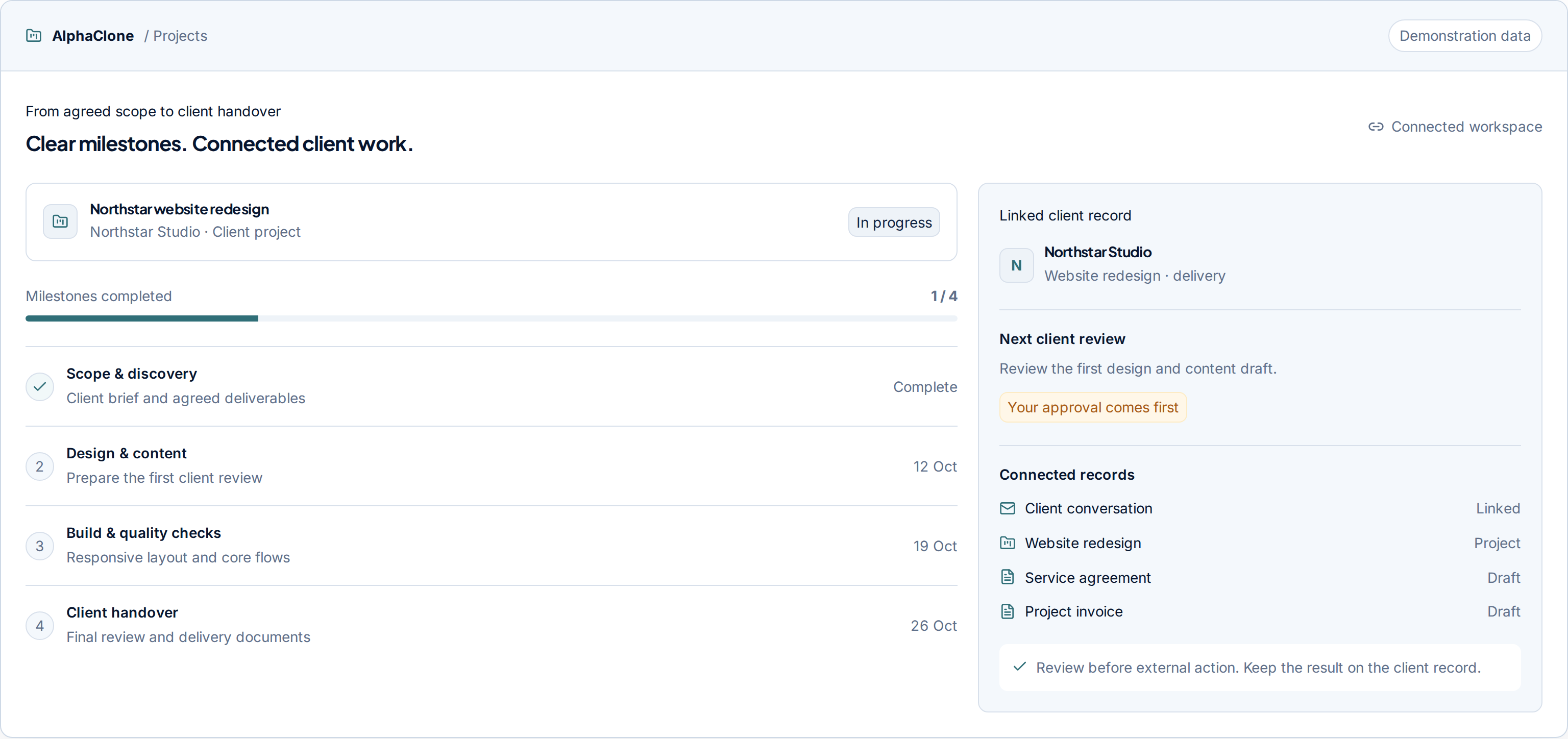
Workflow
How Projects works in AlphaClone
Each step keeps context on the same client record, so teams can move from interest to delivery without rebuilding the story in another tool.
Open from a deal
Create delivery work linked to the customer who bought it.
Assign ownership
Set milestones, tasks, and due dates in one place.
Share progress
Give clients a clear view without exporting status reports by hand.
Close into billing
Move completed work toward invoicing without retyping scope.
Capture
The request or record enters the workspace.
Context
AlphaClone resolves the right client and history.
Approve
A person reviews consequential external actions.
Verify
The result is checked and recorded.
Audience
Built for the teams who feel the handoffs
Agencies and consultants who juggle delivery across disconnected boards.
Scenario
Use Projects when the next step depends on shared context: who the customer is, what they asked for, what was promised, and what still needs to happen.
Connections
Related AlphaClone modules
Product pages are connected because the operating workflow is connected.
Ready to try Projects in a connected workspace?
Get started or book a walkthrough using a real AlphaClone workflow.